
Leave a Comment / By Greggy Cafe / June 11, 2024
Setting up staff availability ensures that appointments are scheduled efficiently and without conflicts. Follow these steps to set up your staff’s availability:
Step 1: Access Staff Settings
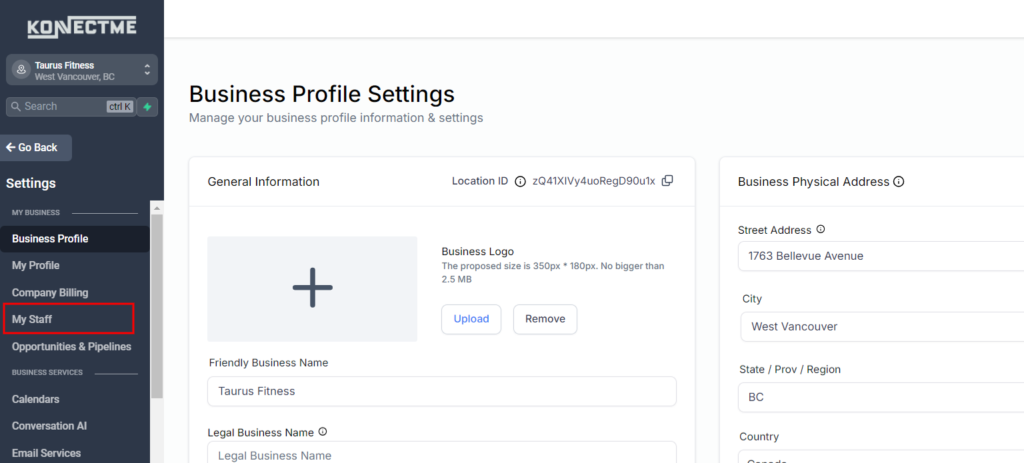
- Navigate to the “Settings” tab from the left sidebar.
- Select the “My Staff” tab.
Step 2: Select Staff Member
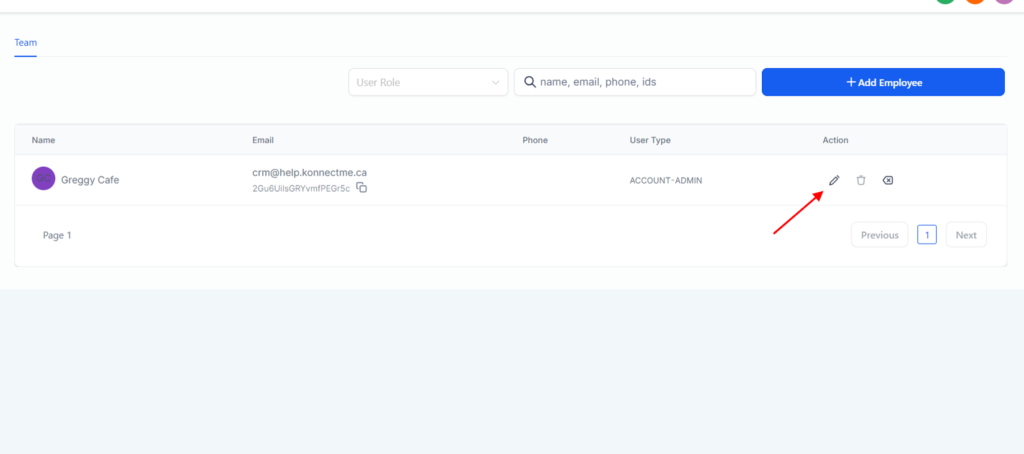
- Click on the staff member whose availability you want to set up.
- This will open the staff member’s settings.
Step 3: Set Up Availability
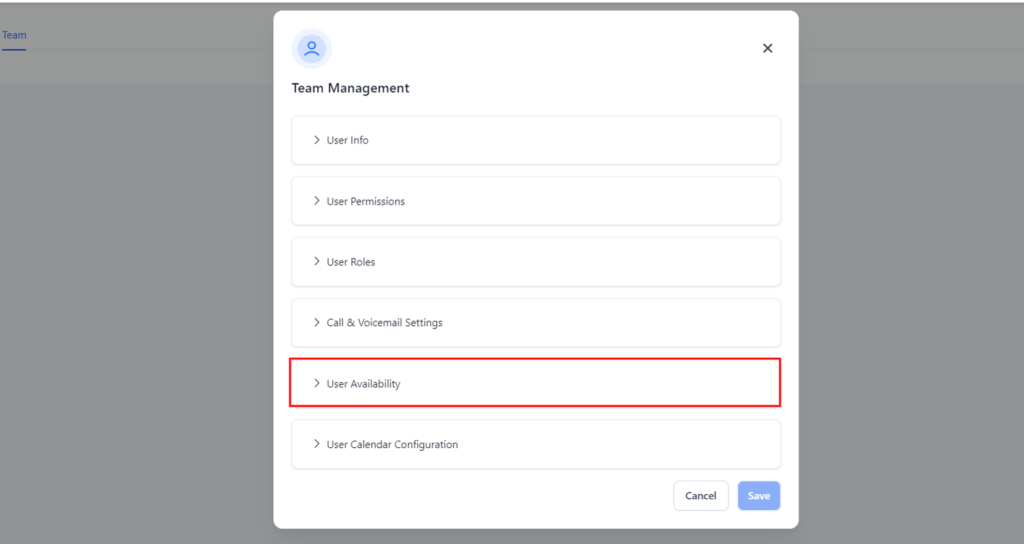
- In the staff settings, find the “User availability”
Step 3: Link Personal Calendar
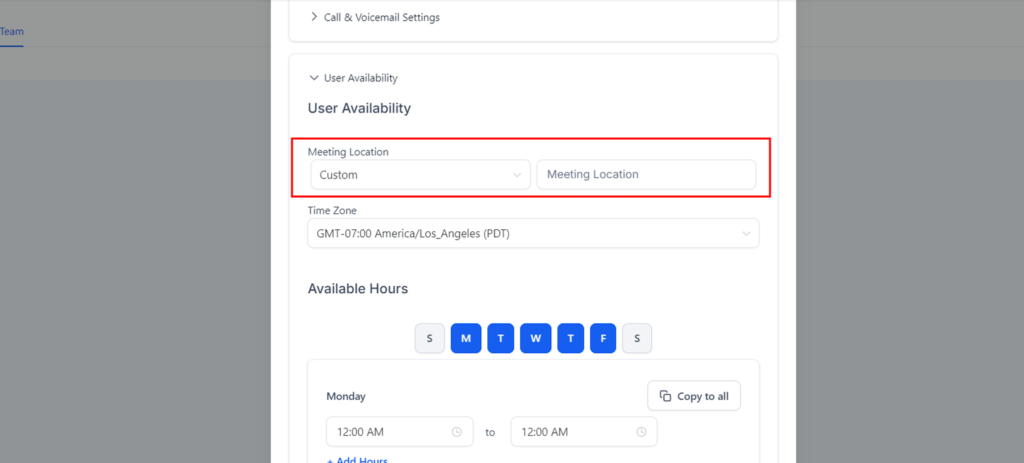
- In the staff settings, locate the “Meeting Location”.
- In there you can adjust and set up the personal calendar of each staff
Step 4: Sync Calendar
- Ensure the sync settings are configured to your preference (e.g., one-way sync or two-way sync).
- Save the changes to start syncing the personal calendar
Tips
- Permissions: Ensure you grant all necessary permissions during the linking process.
- Sync Settings: Choose the appropriate sync settings to match your scheduling needs.
- Review: Regularly review linked calendars to ensure they are syncing correctly.
By following these steps, you can efficiently link staff personal calendars ensuring a cohesive and conflict-free scheduling system.