
Setting up staff availability ensures that appointments are scheduled efficiently and without conflicts. Follow these steps to set up your staff’s availability:
Step 1: Access Staff Settings
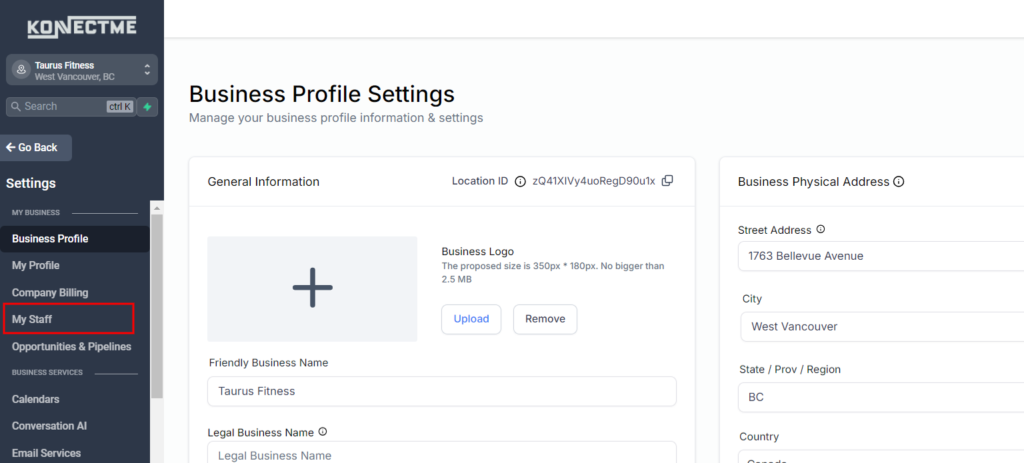
- Navigate to the “Settings” tab from the left sidebar.
- Select the “My Staff” tab.
Step 2: Select Staff Member
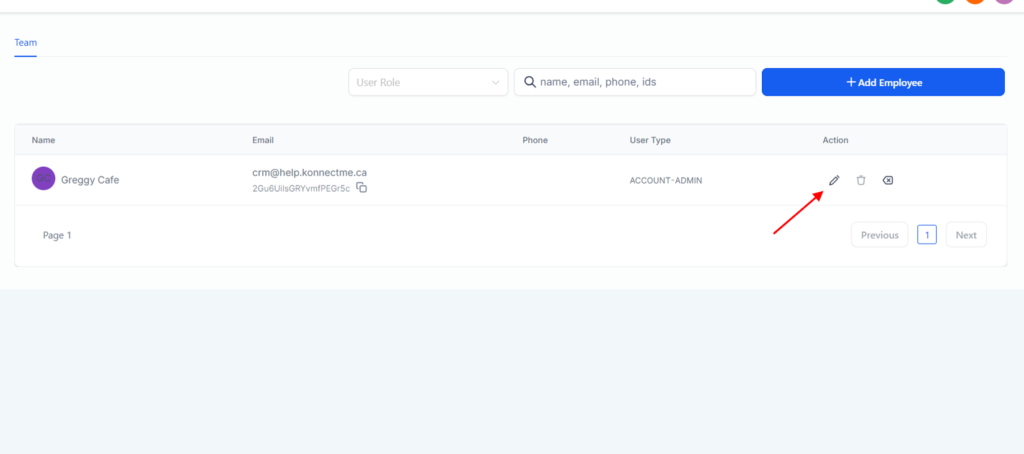
- Click on the staff member whose availability you want to set up.
- This will open the staff member’s settings.
Step 3: Set Up Availability
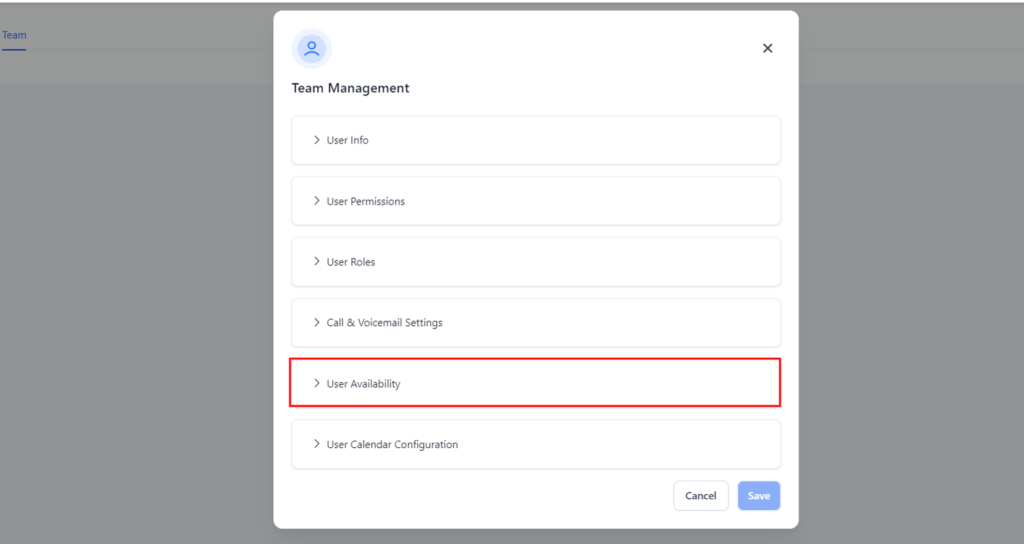
In the staff settings, find the “User vailability” section and adjust accordingly
Step 4: Save Changes
- Save the availability settings to ensure they are applied.
Tips
- Consistency: Ensure the availability settings align with the staff member’s actual working hours.
- Buffer Time: Include buffer time between appointments if necessary.
- Regular Updates: Regularly update availability to reflect any changes in the staff member’s schedule.
By following these steps, you can efficiently set up and manage staff availability, ensuring smooth and conflict-free appointment scheduling.