
Managing your calendar service is straightforward. Here’s a quick guide to enable or disable a calendar service:
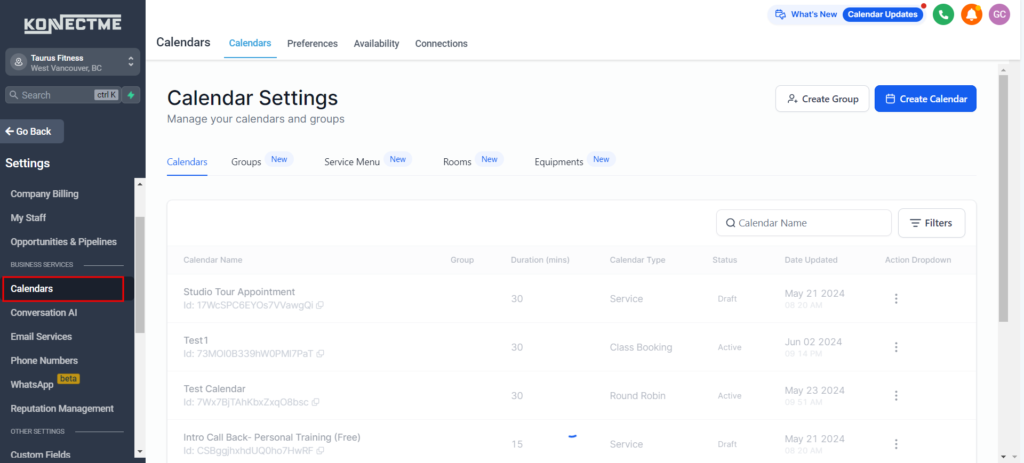
Step 1: Access the Calendar Settings
- Navigate to the “Settings” tab on the left sidebar.
- Select the “Calendars” tab.
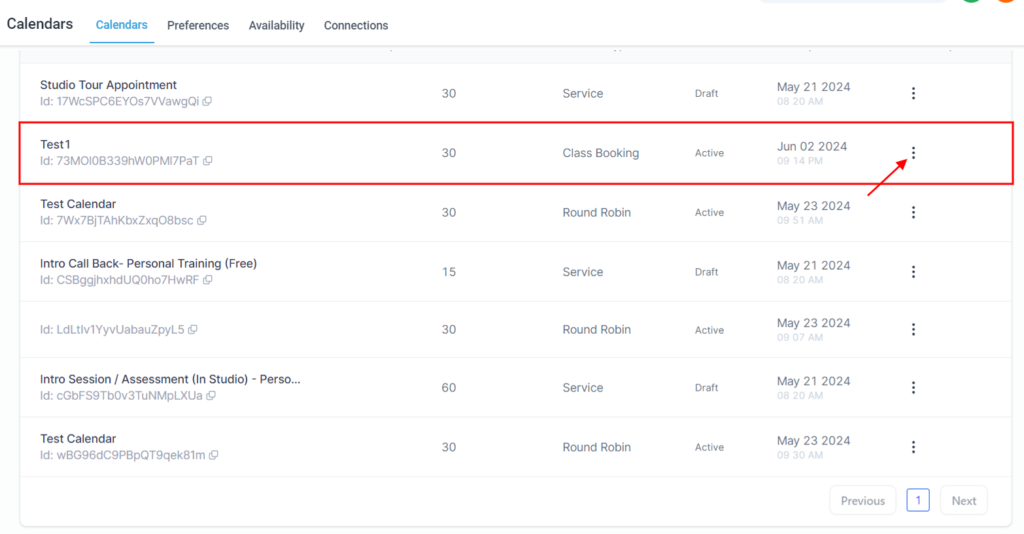
Step 2: Select the Calendar to Duplicate
- Find the calendar you want to duplicate.
- Click on the calendar to open its settings.
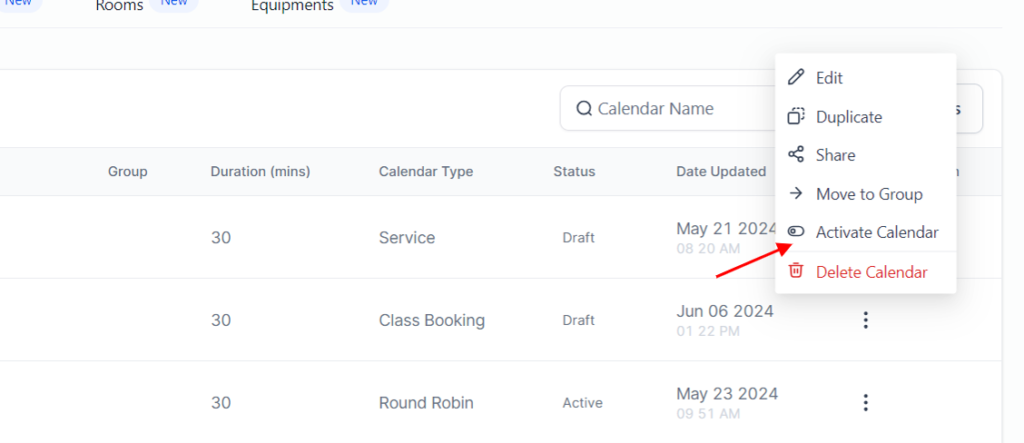
Step 3: Enable or Disable the Calendar
- Toggle the switch to enable or disable the calendar.
Step 4: Save Changes
- Save your changes to update the calendar status.