
Sometimes you may need to update a contact record. Here’s how you can do that in 3 simple steps.
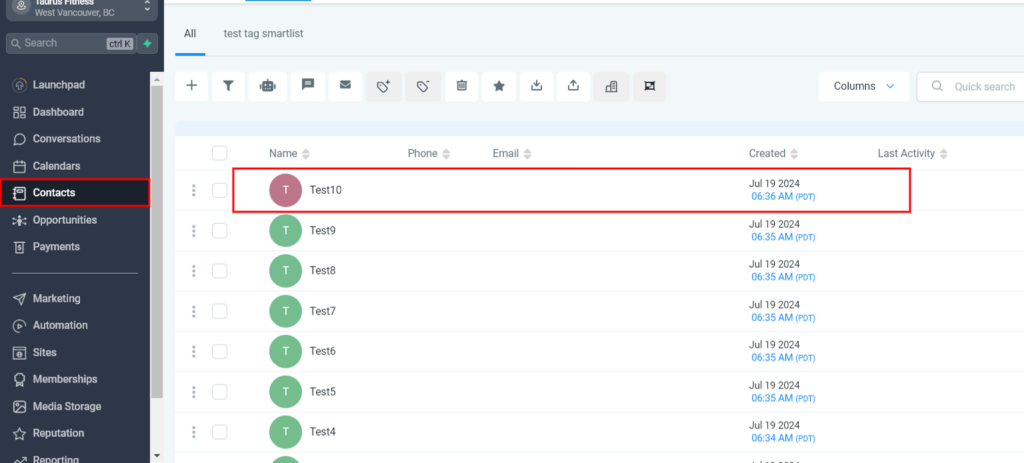
Step 1: Click the name of the contact you wish to edit.
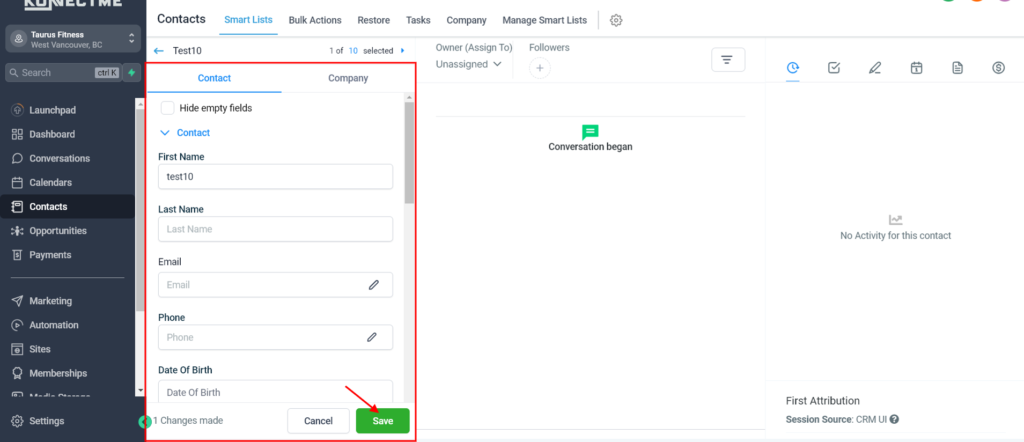
Step 2: Fill in the information you wish to change or update in the appropriate field (i.e. first name, email address, phone number).
Step 3: Scroll to the bottom of the page and click “Save”.