
You can now filter the the calendars active, draft or group to make it easier to see them
Being able to filter your calendars by Active, Draft or Group name allows you to stay organized. Here’s how:
1. From your Dashboard
2. Click on Calendars

3. Click on Calendar Settings

4. Click on Filters

5. Click on Status

6. from the drop down you can select any calendars from draft or that is active

7. Click on Apply

8. to filter by group, select ‘Filters’

9. Click on Group

10. select the group you want to filter by from the list then click ‘Apply’
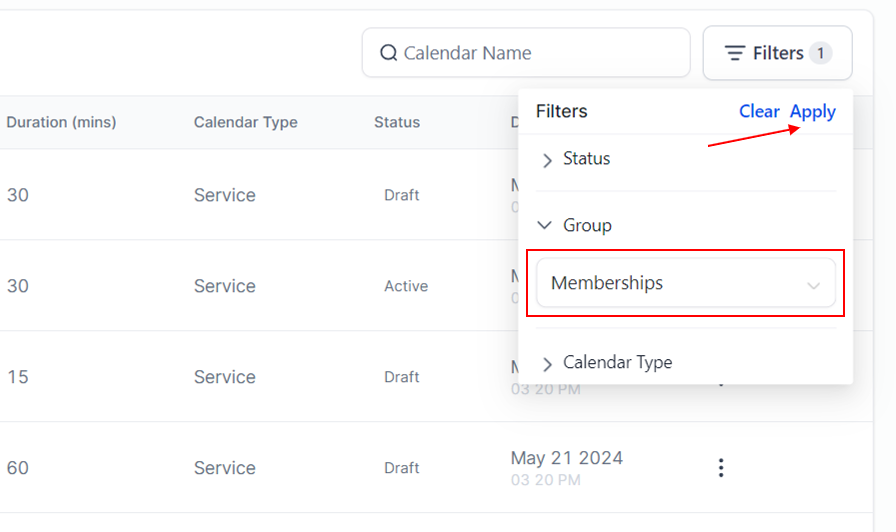
Now you will see only the calendars that are in that specific ‘Group’