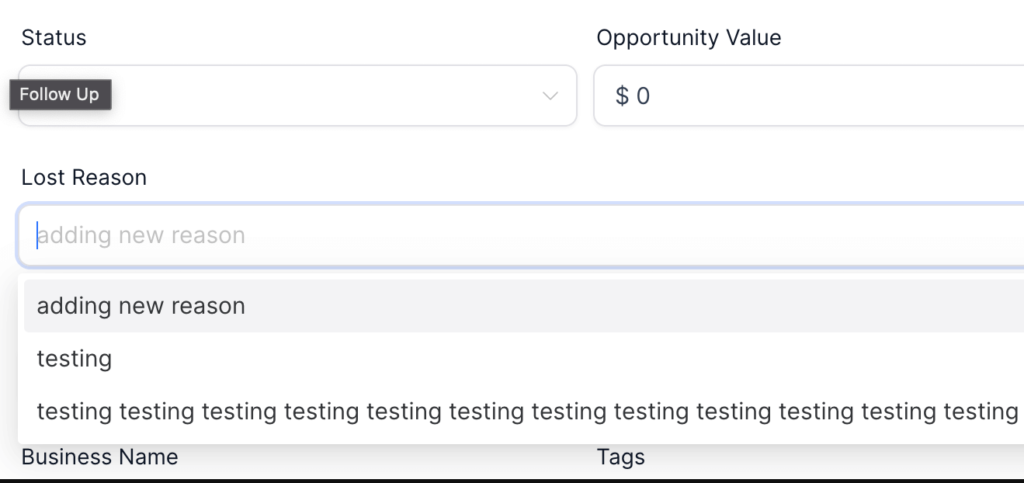
Gain deeper insights into the lead process with our new feature that lets to capture the reason for lost opportunities.
This enhancement aids in a better understanding of areas for improvement and further refining the opportunity strategy.
Here’s What’s New:
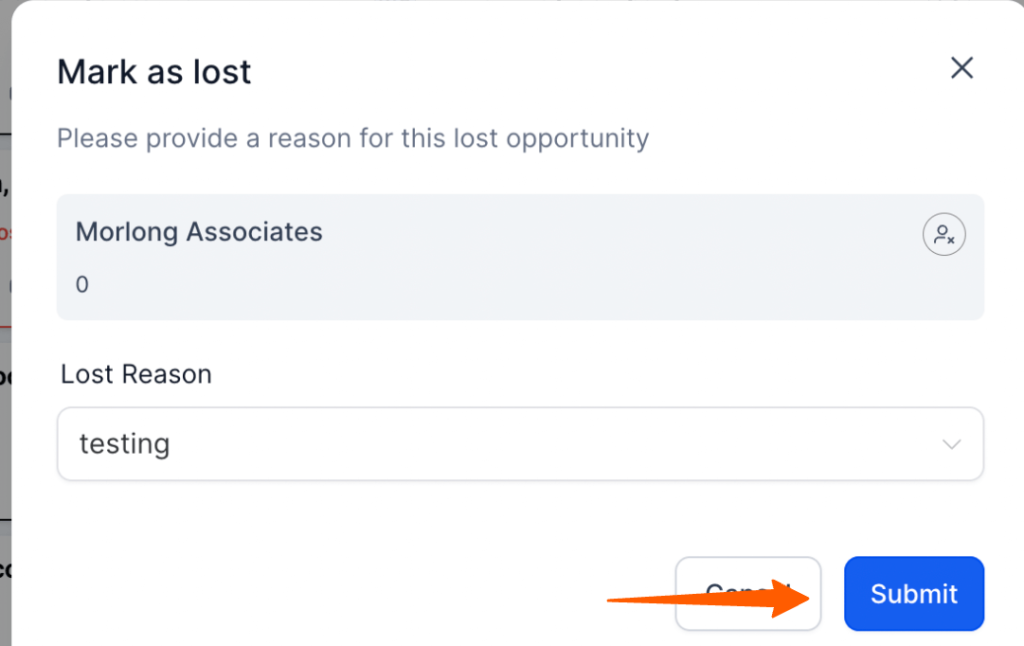
Capture Lost Reasons: Whenever an opportunity is marked as lost, your customers can now specify the reason from a drop-down list.
wo Methods to Mark as Lost:
- Simply drag the opportunity to the “Lost” status.
- Inside the opportunity modal, choose the status as “Lost”.
Add New Lost Reasons: If the existing reasons don’t match your scenario, you can effortlessly add a new one.
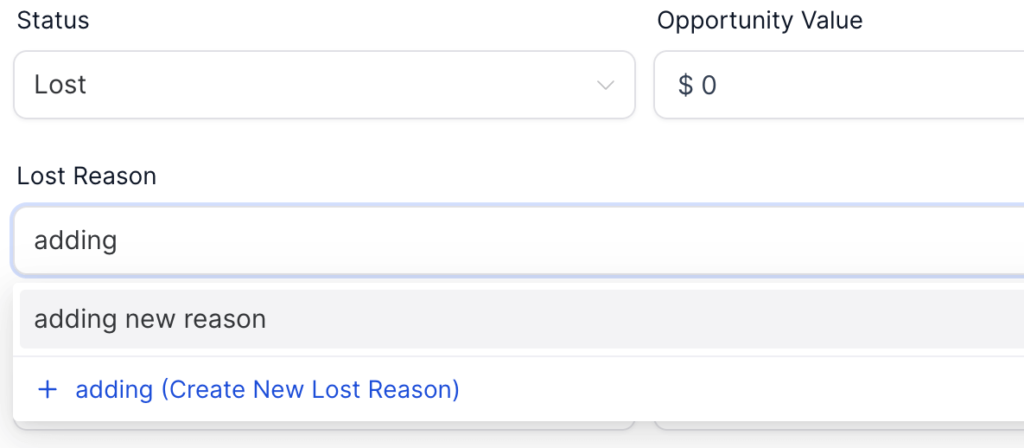
Improved Update Options:
- If the user changes the status by dragging, clicking “Update” will save the opportunity as lost with the selected reason.
- Clicking “Cancel” will mark the opportunity as lost without specifying a reason.
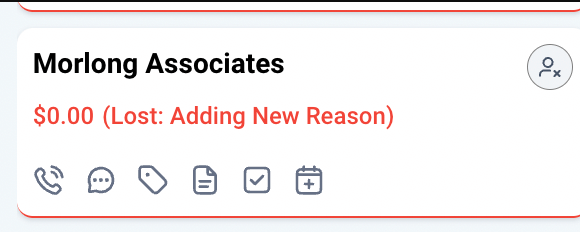
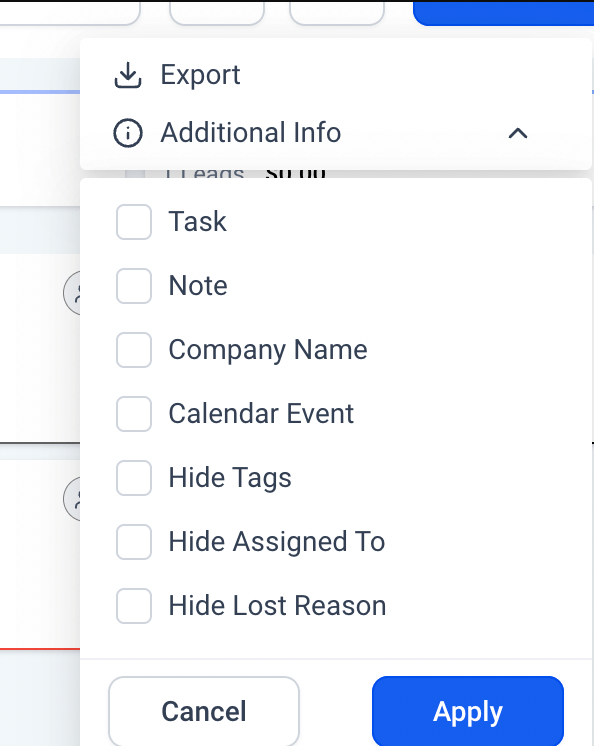
Visible Insights on Cards: The reasons for lost opportunities are displayed directly on the opportunity cards. Plus, for a cleaner look, you can choose to hide/show this reason using the “Additional Fields Filter”.
Why Is This Beneficial?
By capturing the reason for lost opportunities, teams can:
- Understand and analyze why certain leads didn’t convert.
- Make informed decisions to minimize future losses based on these insights.