
You might need to manually update your contact’s opportunity or send them into a workflow. Here’s how.
Updating an Opportunity
Access the Contact: Navigate to the contact’s profile you wish to update.

Opportunity Section: Locate the opportunity section within the contact’s profile.
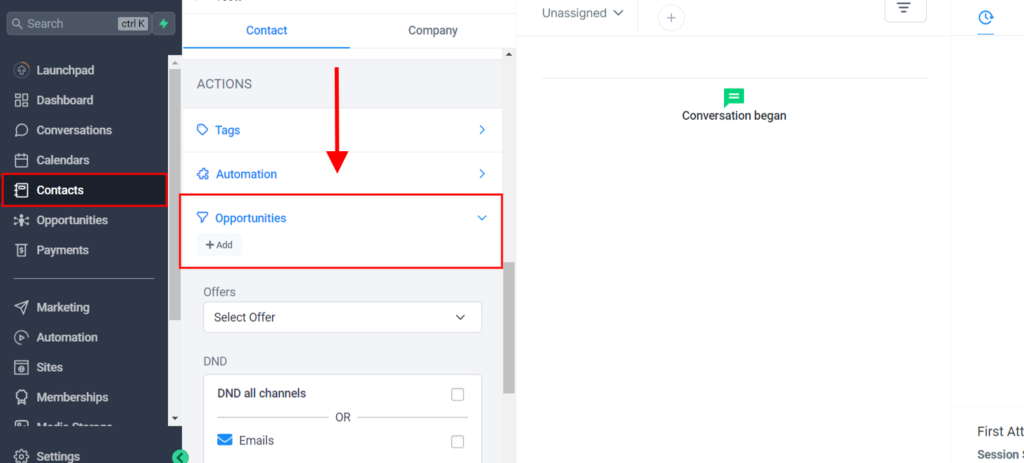
Edit Opportunity: Click on the opportunity you wish to update.
Make Changes: Update the necessary fields, such as status, stage, or value.
Save Changes: Click ‘Save’ to apply the updates.
Updating a Workflow
Access the Contact: Navigate to the contact’s profile you wish to update.

Workflow Section: Find the automation section within the contact’s profile.

Select Workflow: Choose the workflow you want to update for the contact.
Edit Workflow: Make the necessary adjustments, such as changing steps, adding conditions, or modifying actions.
Save Changes: Click ‘Save’ to apply the updates to the contact’s workflow.