
Why Use The New Member 100 Day Messaging Workflow?
Our workflow is designed to keep your new members engaged with your facility from the moment they sign up through your first 100 days. With nutrition and sleep tips, we aim to help your client’s become acclimated to your gym’s culture. We also automatically ask for new Google reviews built into the journey to ensure you’re getting new fresh reviews
What type of gym is this workflow best suited for?
Touted as the ultimate gym community experience; Our 100-day journey workflow is perfect for class-based gyms with a focus on building a strong sense of community. Take your new member journey to the next level.
How does this workflow get triggered?
Streamline your membership sales process with this workflow. Sell a new “Member” plan in Core and watch as our system triggers and handles the rest for you.
This workflow aims to engage new members throughout their first 100 days with tailored messages and actions. Here’s a streamlined guide to get started.
Step 1: Access the Automation Section
after logging in to your dashboard proceed to “Automation” section from the left sidebar.
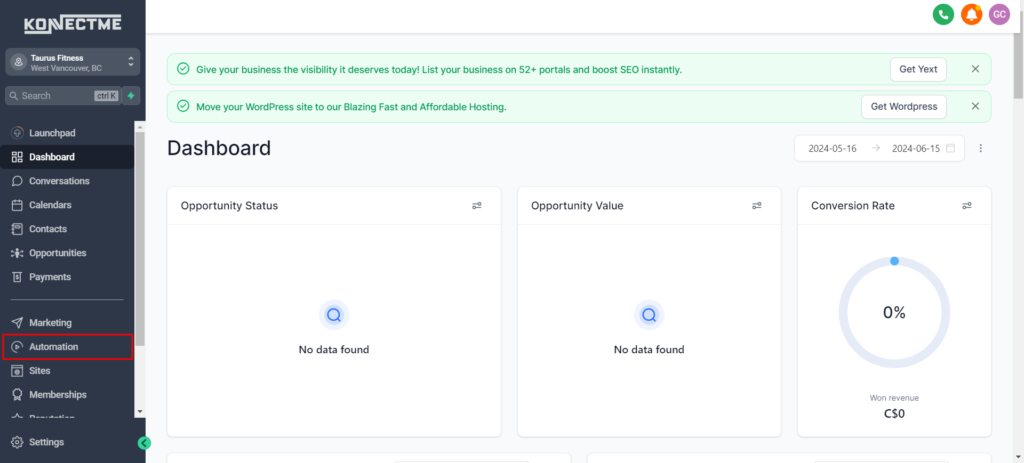
Step 2: Create a New Workflow
- Click on “+ Create Workflow”.
- Choose whether to create the workflow from scratch or use a suitable template.
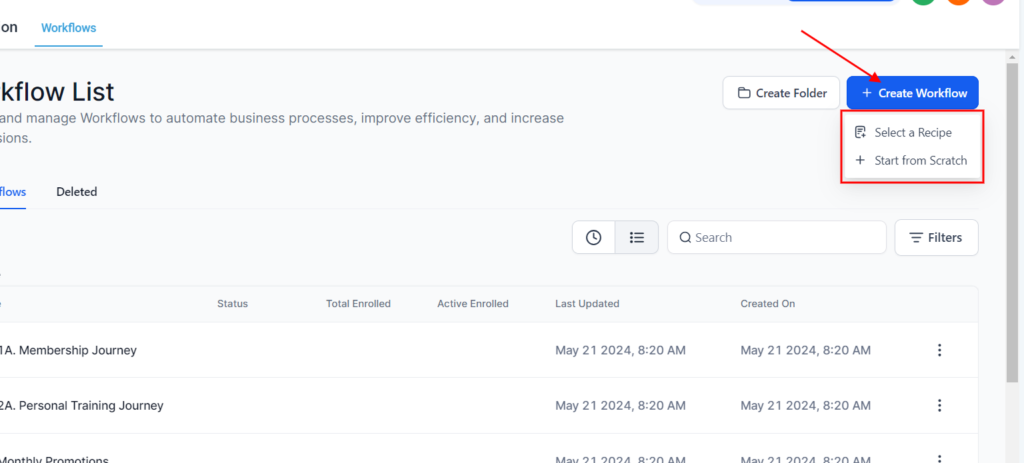
Step 3: Customize Messages and Actions
- Use the workflow editor to set triggers based on events like sign-up dates.
- Plan and schedule messages to be sent at strategic intervals over the initial 100 days.
- Personalize content and include relevant calls-to-action tailored to each stage of the member’s journey.
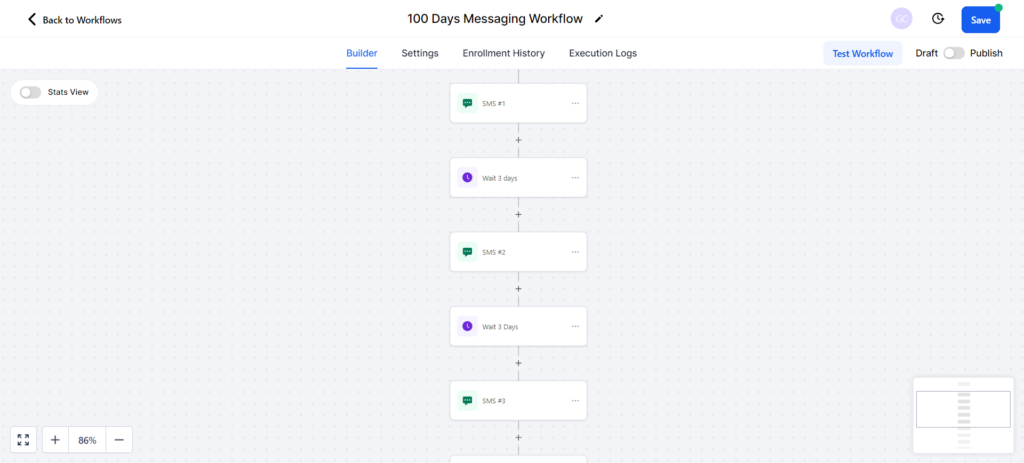
Step 4: Activate and Monitor Performance
- Once satisfied with your setup, activate the workflow to automate member engagement.
- Continuously monitor key metrics such as open rates and engagement levels to refine and optimize the workflow over time.
By following these steps, you can effectively deploy a 100-day messaging workflow to onboard and nurture new members, enhancing their experience and increasing retention rates.